OLED Display 0.96" – Blue, I2C Interface (128×32)
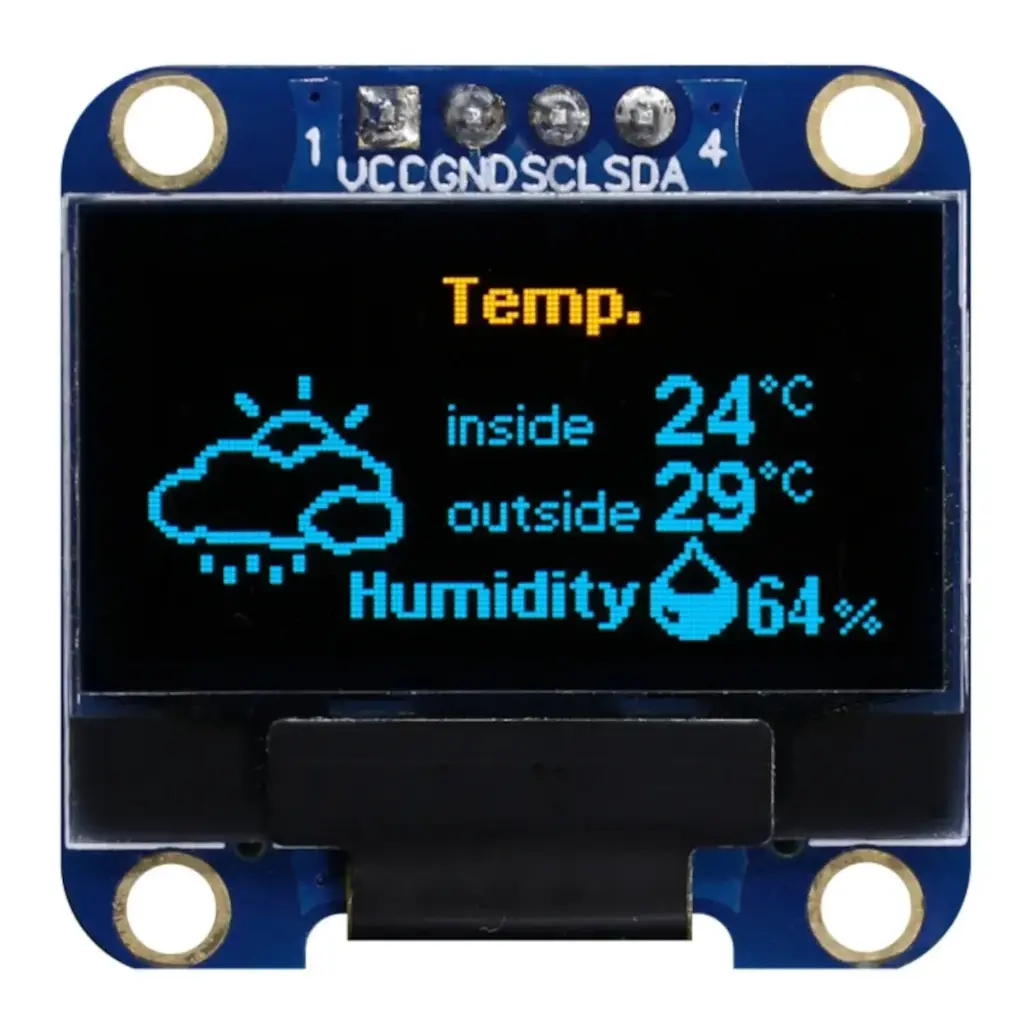
📺 OLED Display 0.96" – Blue, I2C Interface (128×32)
The 0.96-inch Blue OLED Display Module is a super-compact, high-contrast screen perfect for displaying text, symbols, or basic graphics in embedded electronics projects. With a resolution of 128×32 pixels and a convenient I2C interface, it's widely used in Arduino, ESP32, Raspberry Pi, and STM32 applications.
⚙️ Technical Specifications
| Parameter | Specification |
|---|---|
| Display Type | OLED (Organic Light Emitting Diode) |
| Color | Blue (Monochrome) |
| Resolution | 128 × 32 pixels |
| Screen Size | 0.96 inch (diagonal) |
| Interface | I2C (SCL, SDA) |
| Operating Voltage | 3.3V – 5V DC |
| Driver IC | SSD1306 |
| Dimensions | ~38mm x 12mm x 1.3mm |
| Viewing Angle | >160° |
| Pins | VCC, GND, SCL, SDA |
✅ Key Features
🔵 Clear blue monochrome display
🧩 I2C interface (only 2 data pins needed!)
💡 Extremely low power consumption
📦 Compact size – perfect for wearable or portable projects
🔄 Compatible with Arduino, ESP8266, ESP32, Raspberry Pi, STM32
🖥️ Works with Adafruit SSD1306 & U8g2 libraries
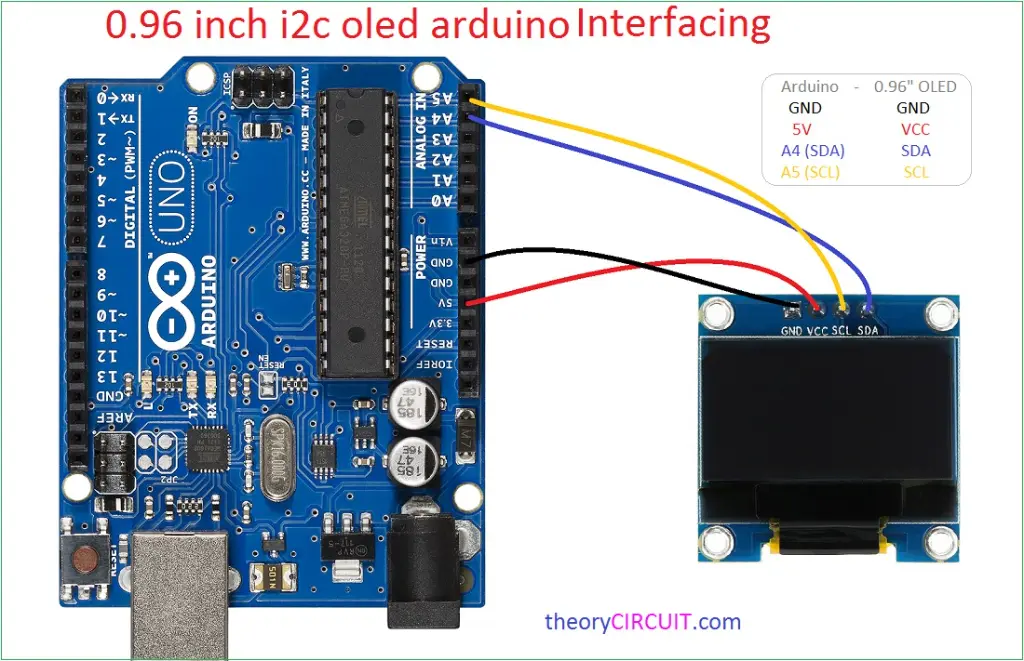
🛠️ Typical Wiring (with Arduino Uno)
| OLED Pin | Arduino Uno Pin |
|---|---|
| VCC | 5V |
| GND | GND |
| SCL | A5 |
| SDA | A4 |
For ESP32: SCL = GPIO 22, SDA = GPIO 21 (default)
🎥 YouTube Tutorial
Step 1: Install Required Libraries
Open Arduino IDE
Go to Sketch → Include Library → Manage Libraries
In the Library Manager, search and install:
✅ Adafruit SSD1306
✅ Adafruit GFX Library