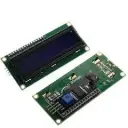
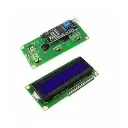
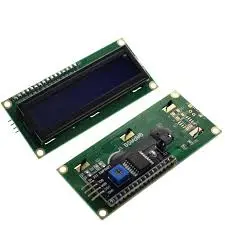
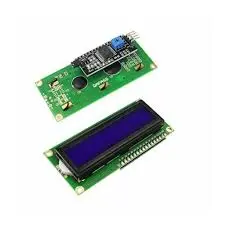
LCD1602 Blue Backlight – I²C Interface (4‑Pin)
A compact 16×2 character LCD with blue LED backlight, using a PCF8574 I²C module for easy wiring. Ideal for Arduino, Raspberry Pi, and microcontroller projects.
🔋 Key Specifications
| Parameter | Value |
|---|
|
|
| Supply Current (LCD only) | ≈0.55–0.8 mA (internal oscillator) |
| Backlight Supply | 5 V (through I²C board) — additional ≈20 mA for LED |
| I²C Address | Typically 0x27 or 0x3F; configurable via solder jumpers |
| Operating Temp. Range | –20 °C to 70 °C |
| Dimensions | PCB ≈80×36×13 mm; visible area ≈64×16 mm |
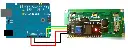
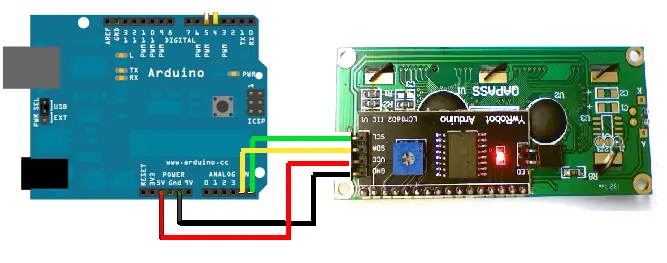
🔌 Wiring Guide (Arduino Uno)
| I²C Module Pin | Arduino Uno Pin |
|---|
| VCC | 5 V |
| GND | GND |
| SDA | A4 |
| SCL | A5 |
🧩 Library & Installation in Arduino IDE
Recommended Libraries
How to Install
Library Manager:
As noted, search and click Install.
Manual ZIP File Installation:
Download from GitHub, then in IDE: Sketch → Include Library → Add .ZIP Library…, and select the downloaded .zip files.waveshare.com+3docs.sunfounder.com+3handsontec.com+3
💻 Example Code
CopyEdit
#include <LiquidCrystal_I2C.h>
LiquidCrystal_I2C lcd(0x27, 16, 2); // Adjust address if needed (0x3F)
void setup() {
lcd.init();
lcd.backlight();
lcd.setCursor(0, 0);
lcd.print("Hello, LCD1602!");
}
void loop() {}
▶️ YouTube Tutorial
https://www.youtube.com/watch?v=CvqHkXeXN3M