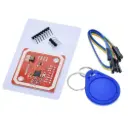
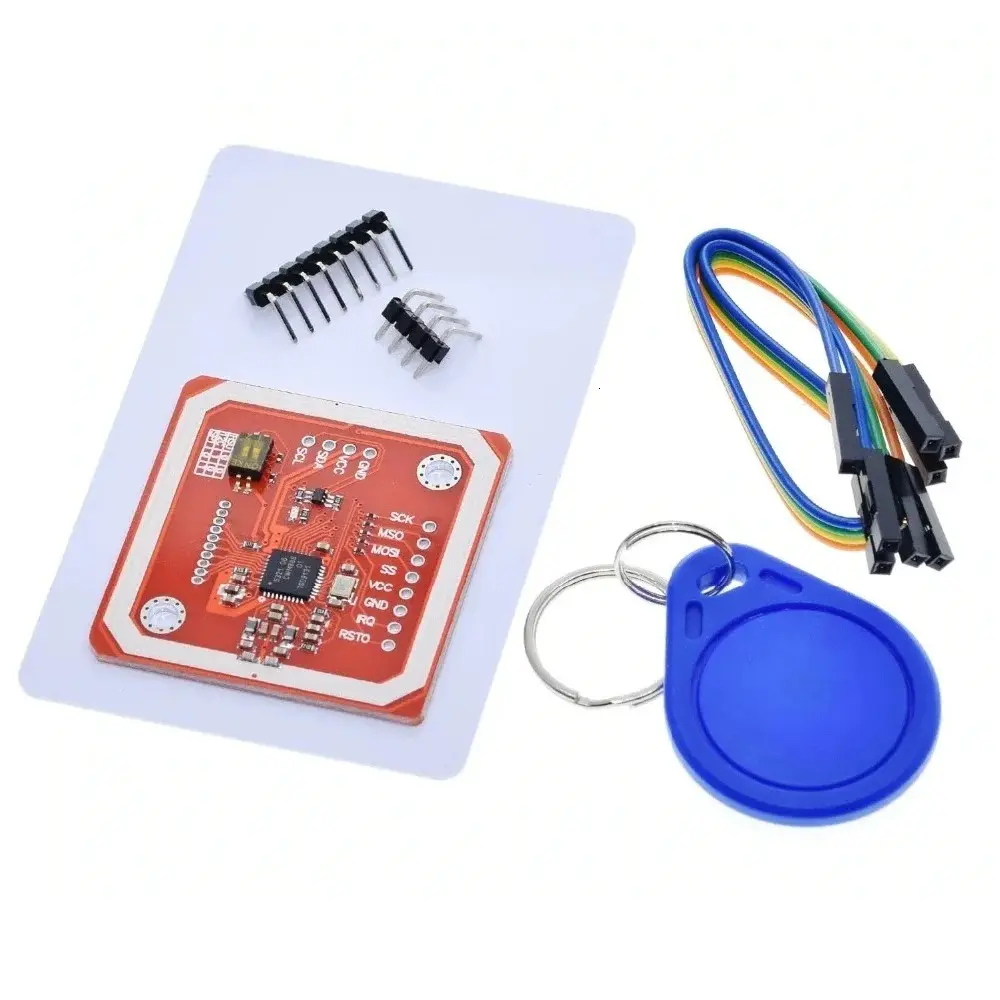
PN532 NFC / RFID Module – 13.56MHz (I2C, SPI, UART)
Overview:
The PN532 NFC / RFID Module is a powerful and flexible 13.56MHz contactless communication module based on the NXP PN532 chip, one of the most popular NFC controllers in the market. It supports NFC, RFID reader/writer, card emulation, and peer-to-peer communication.
With support for SPI, I2C, and UART, it is easy to interface with Arduino, ESP32, Raspberry Pi, and other microcontrollers. It can read a wide range of tags including Mifare Classic 1K, NTAG203/213, and other ISO14443 Type A/B cards.
Key Features:
Based on NXP PN532 NFC controller
Supports NFC (P2P), RFID tag reading, and card emulation
Compatible with ISO/IEC 14443 Type A & B cards
Operates at 13.56MHz frequency
Multiple interface options: I2C, SPI, UART
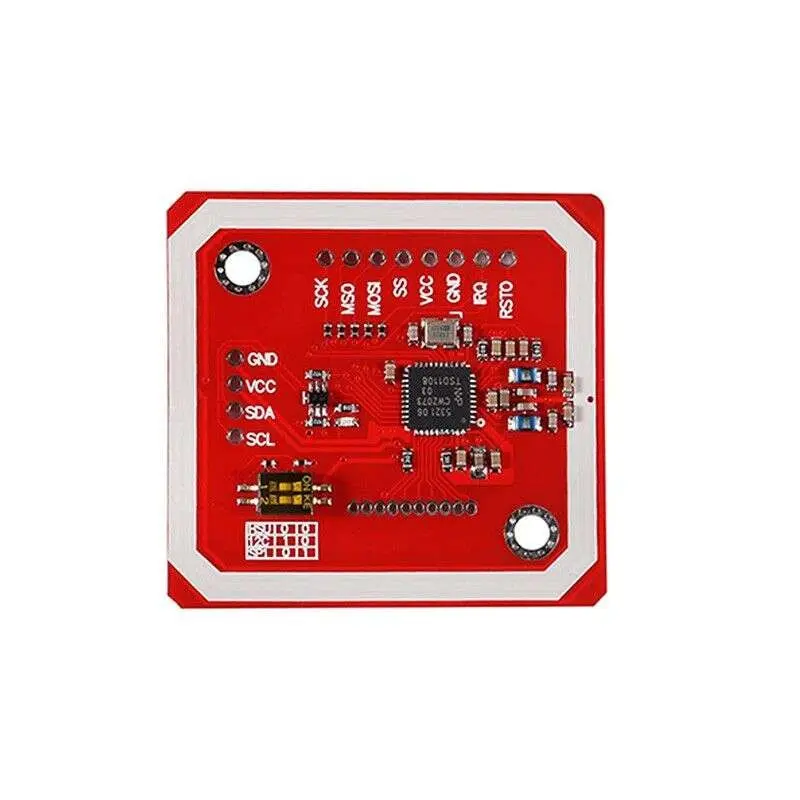
Built-in antenna coil, no external antenna required
Reading distance: up to 5cm (depends on tag and power)
Arduino and Python libraries available
Comes with level shifting circuit for 3.3V & 5V compatibility
Technical Specifications:
| Parameter | Value |
|---|
| Chipset | PN532 |
| Frequency | 13.56 MHz |
| Supported Cards | Mifare Classic 1K, NTAG203/213, ISO14443A/B |
| Interfaces | I2C, SPI, UART |
| Operating Voltage | 3.3V – 5V |
| Current Consumption | ~50 mA typical |
| Communication Range | Up to 5 cm |
| Dimensions | ~40mm × 60mm |
| Antenna | Integrated onboard loop antenna |
Wiring (Arduino Uno – I2C Mode):
| PN532 Module | Arduino Uno |
|---|
| VCC | 5V |
| GND | GND |
| SDA | A4 |
| SCL | A5 |
💡 Slide the onboard switch to I2C mode before use.
Sample Arduino Code (I2C + NFC Card Reader):
CopyEdit
#include <Wire.h>
#include <Adafruit_PN532.h>
#define SDA_PIN A4
#define SCL_PIN A5
Adafruit_PN532 nfc(SDA_PIN, SCL_PIN);
void setup(void) {
Serial.begin(9600);
nfc.begin();
uint32_t versiondata = nfc.getFirmwareVersion();
if (!versiondata) {
Serial.println("Didn't find PN532");
while (1);
}
nfc.SAMConfig();
Serial.println("Waiting for an NFC card...");
}
void loop(void) {
uint8_t success;
uint8_t uid[7];
uint8_t uidLength;
success = nfc.readPassiveTargetID(PN532_MIFARE_ISO14443A, uid, &uidLength);
if (success) {
Serial.print("UID: ");
for (uint8_t i = 0; i < uidLength; i++) {
Serial.print(uid[i], HEX);
Serial.print(" ");
}
Serial.println();
delay(1000);
}
}
✅ How to Install the Library in Arduino IDE:
🔹 Option 1: Via Library Manager
Open Arduino IDE
Go to Sketch > Include Library > Manage Libraries…
Search for: PN532 or Adafruit PN532
Install "Adafruit PN532 by Adafruit"
🔹 Option 2: Manual GitHub Installation
🔗 https://github.com/adafruit/Adafruit-PN532
Applications:
Contactless RFID/NFC authentication
Secure access control systems
Smart vending or payment simulation
Arduino + NFC business card reader
NFC tag-based IoT triggers
Peer-to-peer NFC communication (Android ↔ Arduino)
Resources: