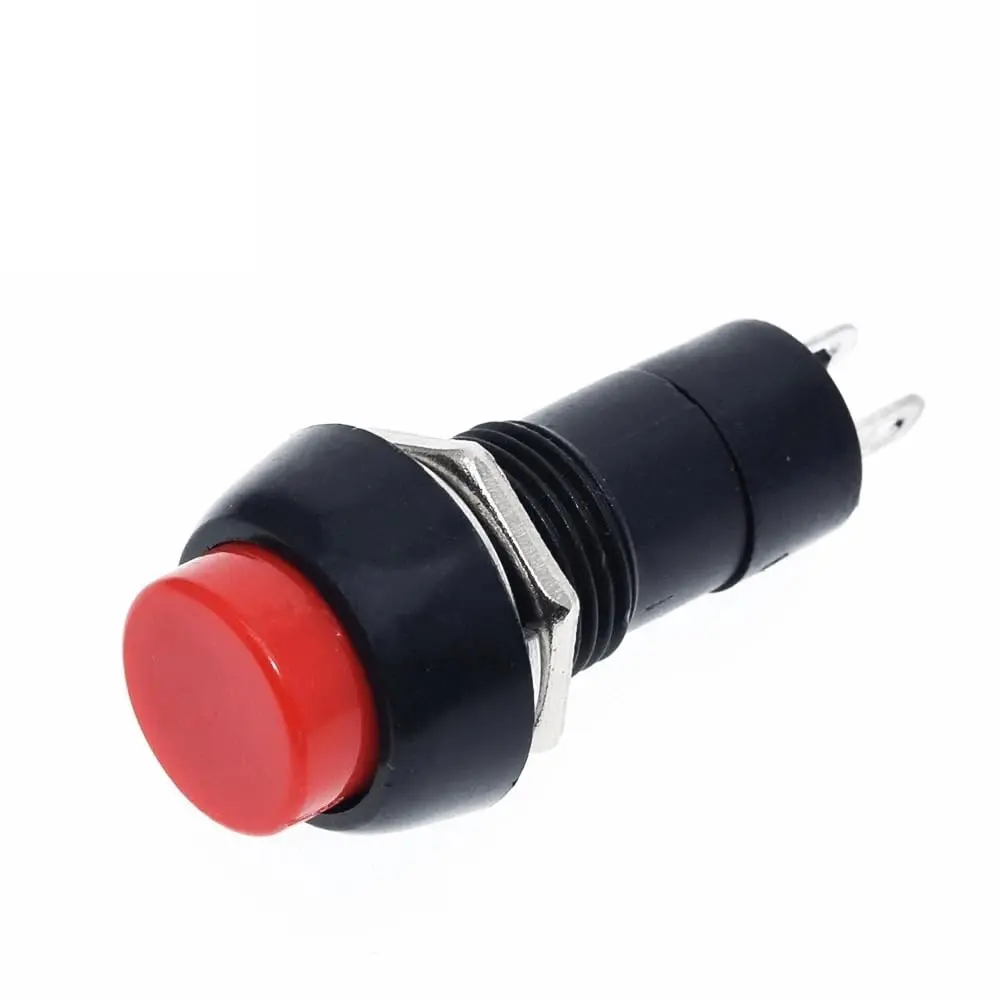
Push Button – Red (Momentary, 1A Rated)
Overview:
This is a red momentary push button switch, perfect for triggering inputs in electronics and microcontroller projects. The switch is normally open (NO) — it only conducts when pressed, then returns to its original position when released.
It features 2 pins, supports up to 1A current, and fits well into breadboards, perfboards, and panels. Ideal for Arduino, ESP32, Raspberry Pi, or any low-voltage control circuit.
Key Features:
Type: Momentary (Normally Open)
Color: Red
Number of Pins: 2
Compact round design for panel or board mounting
Rated Current: 1A max
Easy to use in breadboards and soldering projects
Ideal for user input, control panels, resets, start/stop functions
Technical Specifications:
| Parameter | Value |
|---|
| Switch Type | Momentary (NO) |
| Actuation Type | Push to make (returns automatically) |
| Contact Type | Normally Open |
| Number of Pins | 2 |
| Rated Voltage | 3V – 12V DC |
| Max Current | 1A |
| Button Color | Red |
| Body Material | Plastic |
| Mounting Hole | ~7mm (varies slightly) |
| Lifespan | >10,000 presses |
Wiring with Arduino:
| Button Pin | Connect to |
|---|
| One Pin | GND |
| Other Pin | Digital Input (e.g., D2) |
Use a pull-up resistor, or set INPUT_PULLUP in code.
Arduino Sample Code:
CopyEdit
const int buttonPin = 2;
const int ledPin = 13;
void setup() {
pinMode(buttonPin, INPUT_PULLUP); // Use internal pull-up resistor
pinMode(ledPin, OUTPUT);
}
void loop() {
if (digitalRead(buttonPin) == LOW) { // Button pressed
digitalWrite(ledPin, HIGH);
} else {
digitalWrite(ledPin, LOW);
}
}
Applications:
User input button for Arduino and ESP32
Start/stop or reset button for devices
Menu or selection input in display projects
Control for relays or motor triggers
Prototyping and educational projects